Burn-out price: how many options can you sell without wiping out the account?
Also available in Italiano, Español, Français, Deutsch, Português
The burn-out price is the price at which an option you sold would wipe out your capital. Choose it first and two equations give the most options you can sell and the lowest price to sell them at. With 20,000 of capital, a 5% target and a burn-out price of 300: 70 options, sold at 14.29 or more.
Why start from the worst case, not from the premium?
When I started trading options, I found it useful to manage each single trade conservatively, along the way up to expiry. That meant keeping an eye on the margin, which could get into trouble at the first jolt of the underlying.
One thing that certainly helped was to define first a price for the option that was reasonable for how and how much I wanted to manage the account, and to size the quantity from it. That price is the burn-out price: if it is ever reached, the account is at zero.
What is the burn-out price?
When you sell an option you collect a premium now, and you owe the difference if the option's price rises. The loss on the short position is the number of options times how far the price has risen above your sell price. The burn-out price is the price of the option at which that loss equals your starting capital.
See it in Rising Gamma. The Burn-Out Price page asks for three numbers: your starting capital, the burn-out price and a target, either a return or a premium. It returns the minimum sell price and the maximum number of options.
How is it calculated?
Three plain statements, then a little algebra:
- The premium you collect is the sell price times the number of options.
- The premium you aim for is your capital times the target return.
- At the burn-out price the account is at zero: capital plus premium collected equals the number of options times the burn-out price.
Solving the three together gives:
- Sell price = return x burn-out price / (1 + return)
- Number of options = capital x (1 + return) / burn-out price
A worked example with chosen numbers
These numbers are chosen to show the mechanism, not taken from any market.
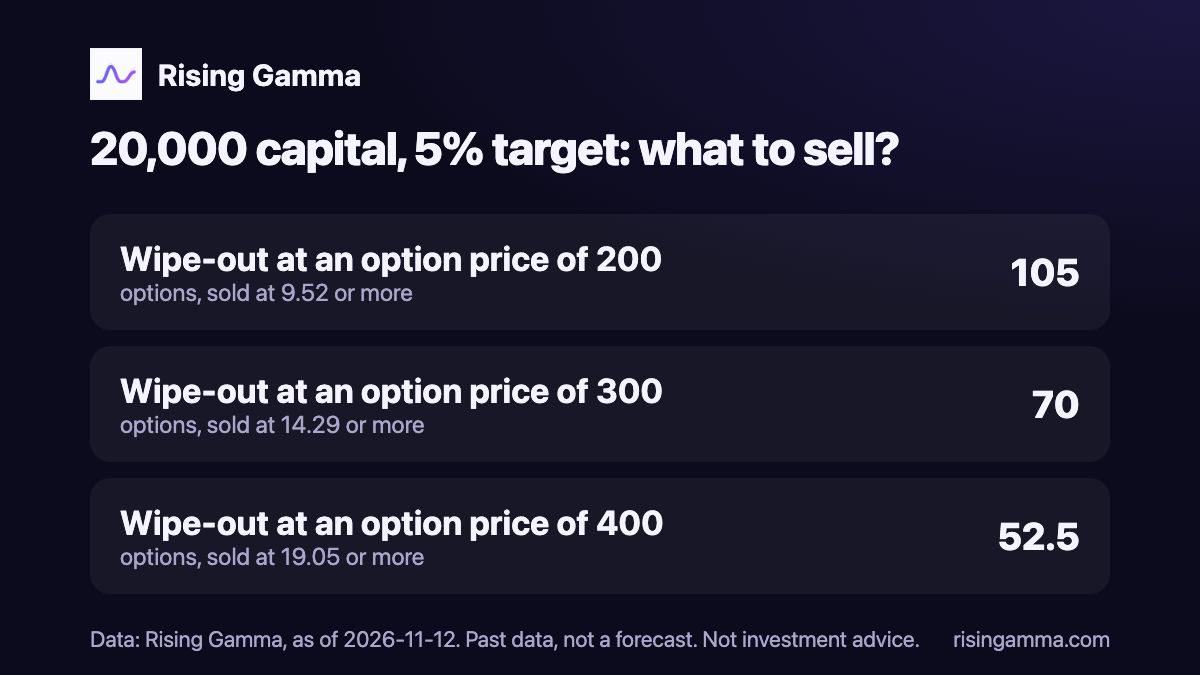
| Burn-out price (per option) | Minimum sell price | Options to sell |
|---|---|---|
| 200 | 9.52 | 105 |
| 300 | 14.29 | 70 |
| 400 | 19.05 | 52.5 |
Data: our calculation with chosen inputs: capital 20,000 and a 5% target (a premium of 1,000) in every row, using the Burn-Out Price page.
Take the middle row. The sell price is 0.05 x 300 / 1.05 = 14.29 and the quantity is 20,000 x 1.05 / 300 = 70 options. Check it: 70 options sold at 14.29 collect about 1,000. If the option's price rises to 300, buying them back costs 21,000, the 1,000 collected leaves a loss of 20,000, and that is the whole capital.
Read the table by columns. Same capital, same target: doubling the price you are willing to see, from 200 to 400, halves the quantity. The burn-out price is the knob that sets the size.
What it can and cannot tell you
- It is arithmetic, not a view. It does not say which option to sell, at which strike, or whether the price will ever get to the burn-out price.
- You choose the burn-out price. The calculator takes it as an input and does not judge it. It is a ceiling on the worst case, not a plan to hold until it is reached.
- Margin and costs are separate. Your broker's margin requirement, commissions and early assignment are not in the formula, so the account still has to carry the margin the position needs.
- It is not advice. Selling naked options can lose more than the capital, and nothing here suggests a trade.
Try it with your own numbers
- Open the Burn-Out Price page.
- Enter your starting capital.
- Enter the burn-out price as a price of the option, not of the underlying.
- Choose a desired return or a desired premium.
- Read the minimum sell price and the maximum number of options.
- To see what a real option is worth, use the Option Pricing page, or the Delta Finder to look for a strike by delta, and compare it with the minimum sell price.
The same calculation is also a sheet in the Excel Suite. To go deeper into options, the Knowledge Base explains options step by step.
FAQ
What is the burn-out price?
It is the price per option at which a naked short position would use up your whole starting capital. You choose it, and the number of options you can sell and the lowest sell price follow from it.
Is the burn-out price the price of the underlying asset?
No. It is a price of the option you sold, per single option.
How many options can I sell?
Capital x (1 + target return) / burn-out price, in single options, where a standard equity contract covers 100. With 20,000 of capital, a 5% target and a burn-out price of 300, that is 70 options.
Is the burn-out price a stop-loss?
No. It is the price at which the model has the account at zero, used to size the sale. A stop, if you use one, sits before it, and the calculator does not place or suggest one.
Does it include margin and commissions?
No. It is a sizing calculation on the capital you give it. The margin your broker requires, commissions and early assignment have to be checked separately.
Before asking how much a sale collects, ask how far the option can rise before the account is gone: the burn-out price turns that answer into a number of options. You can run it on the Burn-Out Price page.
Past data, not a forecast. Not investment advice.
Testing an options strategy? See how to check it was not luck →